

TL;DR A feature brief is a short, structured document that tells your developer exactly what to build, who it's for, and what success looks like, without requiring a technical background to write. This guide gives non-technical SaaS founders a repeatable template to reduce back-and-forth, build faster, and ship features that actually work as intended.
What Is a Feature Brief (and Why It Matters)
A feature brief is a short, focused document that explains a single piece of functionality: what it does, who it's for, what success looks like, and what constraints apply. Let’s be clear: it's not a full product spec or a technical requirements document. It's a founder-friendly communication tool designed to create shared expectations before anyone writes a line of code.
Think of it like ordering a custom piece of furniture; a full product spec is the architect's complete blueprint. A feature brief is the clear instruction you give the carpenter for one specific cabinet: what it should hold, how it should open, what it needs to look like, and where it sits in the room.
Feature brief vs. full product spec:
| Feature Brief | Full Product Spec | |
|---|---|---|
| Length | 1–2 pages | 10–30+ pages |
| Scope | One feature or flow | Entire product |
| Written by | Founder / PM | Technical lead or PM |
| Level of detail | Outcome-focused | Architecture-level |
| Best used for | Individual sprints, new features | Initial build, system redesigns |
A well-written brief reduces assumptions, aligns expectations, and gives your developer the context they need to make good decisions without constant interruption. When assumptions are baked into the build without being stated explicitly, you get features that don’t work as intended.
The Anatomy of a Great Feature Brief
Every strong feature brief follows the same basic architecture. Below is the structure you should use; each section serves a specific purpose, and skipping any of them is where confusion tends to creep in.
1. What This Feature Is (Title + One-Sentence Summary)
Start with a title and a single sentence that captures what the feature does and why it exists. It's an orientation sentence for your developer before they read anything else.
Format: [Feature Name]: [What it does] so that [who benefits and how].
Examples:
-
Referral System: Allows users to invite friends via unique links so that both parties receive a discount on their next billing cycle.
-
Saved Filters: Lets users save custom search configurations so they don't have to rebuild them on every session
Keep it outcome-focused. If you can't summarize the feature in one sentence, it's a signal the scope isn't clearly defined yet. , so you'll need to tighten it before briefing your developer.
2. Who This Feature Is For (User Context)
Developers build better features when they understand the user on the other side of the screen. This section defines who the user is, what they're trying to accomplish, and why the current experience isn't serving that need.
For this purpose, a short paragraph works:
"This feature is for existing subscribers who have been using the platform for at least 30 days. They're comfortable with the core product but want to share it with their team. Right now, there's no structured way to do that; they're copying and pasting the URL manually, which means referrals go untracked and users get no reward for sharing."
The more your developer understands the user's motivation, the better equipped they are to make judgment calls when edge cases come up.
3. What the User Should Be Able to Do
This is the operational heart of the brief. Use plain bullet points starting with "The user can..." to define exactly what the feature enables. Cover the primary path, secondary interactions, and what happens when something goes wrong.
Structure it in three layers:
Primary flow (first-time use):
- The user can generate a unique referral link from their account settings page
- The user can copy the link with one click
- The user can share the link via email, social media, or direct message
Repeat use:
- The user can view how many people have signed up using their link
- The user can see their current reward status in a dashboard
Error states:
- If a referral link is expired, the user sees a clear message explaining why and is prompted to generate a new one
- If a referred user already has an account, neither party receives a reward, and the referring user is notified
This format gives your developer a complete picture of what "done" means across all potential scenarios.
4. What Success Looks Like
Developers and founders often have different mental definitions of finished. Write your success criteria as testable statements that someone can actually verify:
- The referral link generates correctly and is unique per user
- Clicking the link takes a new user directly to the signup page with the referral code pre-filled
- The referring user sees a confirmed referral in their dashboard within 24 hours of the new user completing signup
- Both users receive a confirmation email within 5 minutes of the referral being triggered
These quality checks should be the shared definition of “fully done” that prevents a feature from being marked complete before it's actually ready.
5. Any Edge Cases or Rules
This section is where most feature briefs fall short. Edge cases, the what-ifs, are where bugs live and where the user experience quietly breaks down.
Ask yourself, what could go wrong? What are the limits of this feature? What business rules need to be revised?
Common categories to cover:
- Limits*→* Each user can only generate one referral code at a time
- Platform requirements*→* Must function on both iOS and Android; mobile web behavior should mirror native app
- Account rules*→* Only users on paid plans can generate referral links
- Timing conditions*→* Referral codes expire 30 days after generation
- Conflict scenarios*→* If the referred user was already a registered user before clicking the link, the referral does not count
You don't need to anticipate every possible edge case; that's partly your developer's job. But covering the ones you know about upfront prevents assumptions that lead to expensive post-launch fixes.
6. Design, UX, and Reference Materials
Visual context does a job that words can't. Even rough wireframes, annotated screenshots, or Figma mockups dramatically reduce the interpretation gap between what you picture and what gets built.
What to include:
Clear communication of product intent relies on combining visual, verbal, and contextual references. This includes sharing Figma links for existing UI designs, using Loom recordings to walk through flows that are difficult to explain in writing, and providing screenshots from other apps to illustrate the desired feel or interaction patterns. Adding annotations to screenshots or mockups such as specifying when a button should be disabled helps clarify expected behaviors and reduces ambiguity during implementation.
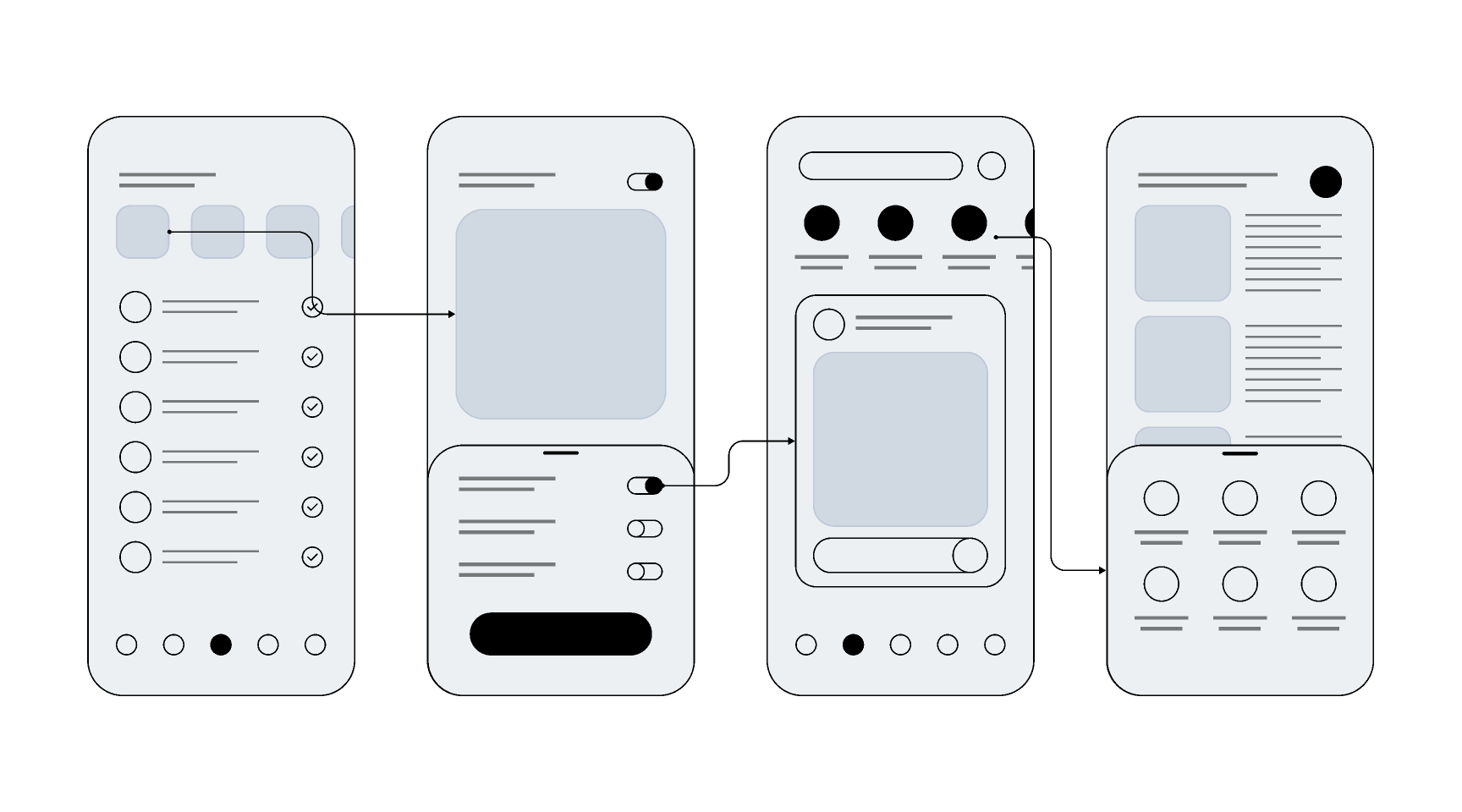
Source: Figma
Polished design assets aren’t necessary to write a good brief ; with a hand-drawn sketch photographed on your phone with a Loom narration on top, you have a useful solution.
7. Priority and Dependencies
Every feature exists within a system, and most features have relationships to other parts of the product that your developer needs to know about before they start building.
Priority: In this feature…
- A hard blocker for launch?
- A must-have for the current sprint?
- Or a nice-to-have that can be deferred?
→ Use a simple tier: P1 (blocker), P2 (required for sprint), P3 (nice-to-have)
Dependencies: Does this feature rely on something else being built or in place first?
Examples:
- "Requires user authentication to be complete before this can be built."
- "Connects to the notifications system; any changes to notification logic will affect this."
- "Depends on the analytics database being set up to track referral conversions"
Flagging dependencies is helpful for your developer and protects your sprint plan from hidden blockers that surface mid-build and push your timeline by days or weeks.
Tools You Can Use to Write Feature Briefs
You don't need specialized software to write a great feature brief. What matters is that it lives somewhere your team can access, comment on, and link to from your dev workflow.
For writing and formatting:
- Notion: Ideal for maintaining a living feature brief library, with easy linking between briefs, roadmap items, and documentation
- Google Docs: Universally accessible, easy to share with commenting, and simple enough that nothing gets in the way
For integration with your dev team's workflow:
- Linear: Built for modern dev teams; feature briefs can be attached directly to issues or projects, keeping context close to the work
- Jira: For larger teams, briefs can live as description attachments or linked documents within tickets
For visual and async communication:
- Loom: Record a 2–3 minute walkthrough of your brief, your mockup, or the existing user flow you want to change.
- Figma: For sharing UI mockups, annotating existing screens, or pointing to a specific component your developer should reference
Write your brief in Notion or Google Docs, link your Figma and Loom assets inline, and then attach or link the brief inside whichever project management tool your developer actually works in. Keep updates and overall context easily accessible.
SaaS Development on your plate? Designli's your team.
Take a lookReal-World Example: A Referral Feature Brief
Here's what a complete, filled-out brief looks like using the structure above.
Feature Title: Referral System Unique invite links that reward both sender and recipient upon successful signup.
Who It's For: Existing subscribers on any paid plan who want to share the product with colleagues or their network. They currently have no structured way to refer people and receive nothing for driving signups.
What the User Can Do:
Primary flow:
- Generate a unique referral link from the Account Settings page
- Copy it with a single click
- Share via email, social, or direct message
Repeat use:
- View total referrals and pending rewards from a dashboard tile
- See the status of each referral (pending/confirmed /expired)
Error states:
- Expired link: user sees a message and can generate a fresh one
- Referred user already has an account: neither party is rewarded; referring user is notified
What Success Looks Like:
- Link generates correctly and is unique per user
- Referred user lands on signup with referral code pre-filled
- Referring user sees confirmed referral within 24 hours of referred user completing signup
- Both users receive a confirmation email within 5 minutes of the referral triggering
Edge Cases and Rules:
- One active referral code per user at a time
- Referral codes expire 30 days after generation
- Only users on paid plans can generate codes
- Must work on iOS, Android, and mobile web
Design and References:
- Figma: [link to referral flow mockup]
- Loom: [2-min walkthrough of intended user experience]
Priority and Dependencies:
- P1 required for Q2 launch milestone
- Depends on: user authentication, notification system, analytics database (referral conversion tracking)
Final Tips for Writing Better Briefs
Writing a good feature brief is a skill you'll get better at with every iteration. These principles will sharpen your drafts from the start.
-
Solve for the "who," not the "how": Don't dictate technical implementation. Focus on what the user needs to accomplish; trust your developer to find the best way to build it.
-
Swap assumptions for outcomes: Instead of saying "The user can invite friends easily," say "The user enters an email, and the invite sends in under 2 minutes."
-
Kill vague qualifiers: Words like "simple," "fast," or "clean" are subjective. Replace them with measurable behaviors: "Loads in 2 seconds" or "Requires 3 taps."
-
Progress over perfection: An 80% complete brief in a developer’s hands is better than a perfect one in your drafts. Ship the draft, get feedback, and refine together.
-
Run a "playback": After sharing, ask your developer to summarize the task in their own words. If their summary doesn't match your intent, fix the brief before they start coding.
FAQs
Do I need a feature brief for every single thing I ask my developer to build?
Any feature that involves user interaction, multiple states, or dependencies on other parts of the system absolutely does. When in doubt, write the brief.
How long should a feature brief be?
One to two pages is the ideal range. If it's running longer, your scope is probably too broad; consider splitting the feature into two separate briefs.
What's the difference between a feature brief and a user story?
A user story is a single sentence capturing one user need; a feature brief expands on one or more user stories with full context: scope, edge cases, success criteria, and references.
A Feature Brief Creates Advantage
A feature brief is a communication document that closes the gap between the product you're imagining and the product your developer is building.
The founders who ship great products faster are the ones who've learned to translate their vision clearly, to communicate outcomes instead of assumptions, to define "done" before starting, and to give their teams the context they need to make good decisions independently.
Start with the structure in this guide; use it for your next feature and then refine it based on what your developer asks for afterward. Because those follow-up questions are telling you exactly what your brief was missing.
If you want to set a strong foundation before developing your idea , schedule a consultation.
You might also like:


